
LuckyMate verification begins as you register, with an electronic check on your name, address and date of birth. Documents come into it only if that check can’t confirm you or a later review is triggered. LuckyMate then wants photo ID, a utility bill or bank statement dated within the last 3 months, a photo of your debit card with the middle 8 digits and the CVV covered, and sometimes proof of where your money comes from. You upload them through your account as JPEGs of up to 5 MB. LuckyMate hasn’t published a turnaround, so sharp copies that match your account, sent before your first withdrawal request, are the surest way to keep the wait down.
Why LuckyMate has to verify you
Identity checks are a condition of the licence. LuckyMate is run by Anakatech Interactive Limited under Gambling Commission account 48789, and since 7 May 2019 the Commission has required licensed operators to confirm a customer’s age before any deposit, free-to-play game or bonus play, and to verify at least name, address and date of birth before that customer gambles. Holding a licence also means duties under UK anti-money laundering rules; questions about your income and the source of your money start there. Licence, games and payouts are covered in our LuckyMate review 2026.
The player gets protections from the same rulebook:
- Advance notice. You must be told which documents an operator may ask for. LuckyMate publishes its list in the ID verification FAQ and the User Agreement, and the table below is based on it.
- No new conditions at payout. If the operator could have asked for a document earlier, it can’t make that document a condition of your withdrawal.
- A late upload doesn’t forfeit your balance. Commission guidance says an operator can’t keep your money because documents arrived late. LuckyMate’s 30-day rule can get an account blocked, and being blocked is a separate matter from losing the balance.
Step one: the electronic check at registration
The electronic check runs as soon as the registration form is submitted. A match opens the account with no document request. Without one, you’ll be asked for ID and proof of address, and since age and identity must be confirmed before anyone gambles, deposits and play stay locked until those documents are accepted.
When the check fails, start with what you typed. A shortened first name, an old address, a flat number written differently from your bank’s records: any of these can stop a match. The form is covered field by field in our LuckyMate sign up guide. Clearing this stage doesn’t rule out documents later; the triggers further down show when.
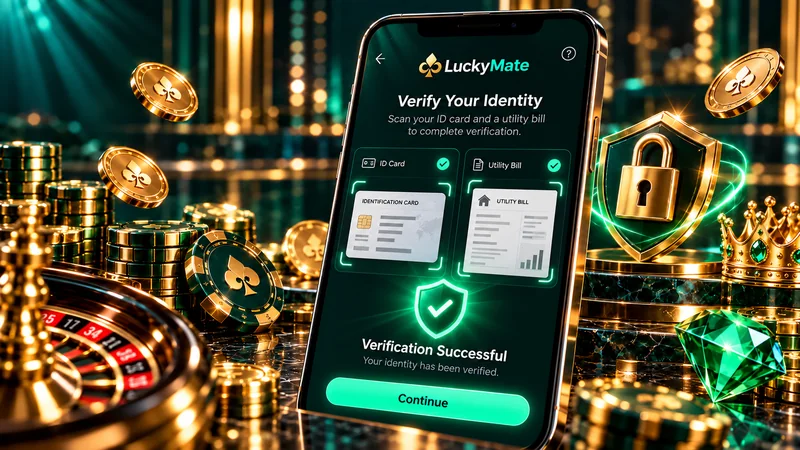
Which documents LuckyMate asks for
There are four kinds of document on LuckyMate’s list. The first three make up the usual request when the electronic check fails or a review is triggered; the fourth comes up only with a source-of-funds check.
| Document | What it proves | LuckyMate’s requirement | Check before you upload |
|---|---|---|---|
| Photo ID | Your identity and age | Passport or driving licence; the list also names a birth certificate or identity card | Whole document in frame, text readable, name as on your account, not expired |
| Proof of address | That you live at the address you registered | Utility bill or bank statement dated within the last 3 months | Name and address match the account exactly; the date is visible |
| Photo of your debit card | That the card you deposited with is yours | Middle 8 digits and CVV covered | Your name and the remaining digits stay readable |
| Source of funds or wealth | That you can account for the money you gamble with | Payslips or bank statements; questions about occupation, annual gross income and gambling budget | Recent, complete pages showing your name |
Photo ID
The usual choice is a passport or a photocard driving licence. Lay it flat and photograph it in daylight with the flash off, all four corners inside the frame; glare over the photo or the date of birth can make a copy unreadable. Where your ID and your bill carry different surnames, after a marriage for instance, let support know before you upload.
Proof of address
LuckyMate sets the 3-month limit itself, as the Gambling Commission lets each operator decide which documents it accepts. Name and address need to match your account letter for letter. If you’ve moved since registering, have support update the address first. Banking apps usually export statements as PDFs, whereas LuckyMate’s FAQ asks for JPEG files, so either save the page as an image or check with support that a PDF is acceptable.
A photo of your debit card
Before taking the photo, lay a strip of paper over the middle 8 digits and the CVV. Gambling on credit cards has been banned in Great Britain since April 2020, so this will always be a debit card. LuckyMate’s published list is silent on Apple Pay and Google Pay deposits; if you paid that way, check with support whether it needs a photo of the card linked to the wallet. Our payments guide covers deposit routes and card verification at the cashier.
Source of funds and source of wealth
Under the User Agreement, the operator may ask about your occupation, annual gross income, source of funds and source of wealth, and the budget you set aside for gambling, and may ask for evidence. Thresholds and triggers decide who gets these requests, so they don’t reach every customer. If one reaches you, answer with documents as well as words. A payslip showing your employer and income settles the question in one go.
How to upload your documents
- Log in on luckymate.co.uk. LuckyMate has no app, so this happens in a browser on your phone or computer.
- Open Profile, then My Account.
- Choose Verify Identity or Upload Documents, whichever your account displays.
- Upload each document as a JPEG of up to 5 MB.
- Watch your inbox in case LuckyMate wants a clearer copy or a further document.
- Chase it on live chat if nothing happens. If the documents are still pending after the turnaround review sites report (see below), ask what is still outstanding.
Get the uploads done before you ask for money back. The cash-out policy counts processing time from verification, so documents sent alongside a withdrawal request queue up ahead of it; our LuckyMate withdrawal guide goes into the detail.
Register and verify at LuckyMate
18+ · New customers only · T&Cs apply
How long LuckyMate verification takes
LuckyMate hasn’t published a turnaround for document checks, and we haven’t run documents through an account of our own. The figures come from two review sites. gambling.com said its documents were approved within 24 hours; Betiton’s estimate is up to 48 hours. Weekend reviewing isn’t mentioned either, so a Friday-evening upload could wait until Monday.
Two other timescales can affect you. Under LuckyMate’s account FAQ, an account may be blocked if proof of identity isn’t submitted within 30 days of registering. The extra check that can follow once withdrawals pass £1,000 in total has no published timescale, so keep recent payslips or statements to hand before a larger payout.
Checked against LuckyMate’s published terms and the Gambling Commission register on 2 October 2026.
What players say about the checks
On LuckyMate’s Trustpilot page, some of the complaints concern the volume of documents, with bank statements and payslips requested on top of ID.
When LuckyMate asks for more: extra checks
| Trigger | What you may be asked for | Where the rule comes from |
|---|---|---|
| Electronic check can’t match you at sign-up | Photo ID and proof of address before you deposit | LuckyMate’s FAQ; Commission age and identity rules since 7 May 2019 |
| LuckyMate checks the card you paid with | Photo of the debit card, middle 8 digits and CVV covered | LuckyMate’s document list |
| Withdrawals above £1,000 in total | An additional check, which can include source of funds | LuckyMate’s cash-out policy |
| Thresholds and risk triggers in the terms | Occupation, annual gross income, source of funds or wealth, gambling budget; payslips or statements | User Agreement; anti-money laundering duties |
| Net deposits reaching £150 within 30 days | A financial vulnerability check against public records such as bankruptcy orders, county court judgments, IVAs and debt relief orders; the Commission doesn’t describe it as asking you for documents | Gambling Commission rule since February 2025 |
| Financial risk assessments (being phased in) | A frictionless, document-free check; the first stage covers the largest operators, from £5,000 in net deposits within 24 hours (£2,500 for under-25s) | Commission decision of 7 July 2026; start date to be set after consultation |
| You are a politically exposed person | Tell [email protected] after registering | User Agreement |
Checked against LuckyMate’s published terms and the Gambling Commission register on 2 October 2026.
Being asked about income and budget can feel intrusive. The questions stem from the operator’s duty to check that gambling stays affordable, and the limits you can set for yourself are on our page about affordability and safer gambling. If gambling is already straining your finances, StepChange (0800 138 1111) and National Debtline (0808 808 4000) give free debt advice, and the National Gambling Helpline is on 0808 8020 133, 24/7.
How to speed up LuckyMate verification
- Register with your legal name, date of birth and the address your bank holds.
- Send ID and proof of address as soon as they’re requested, and always before your first withdrawal request.
- Look at the date on your bill or statement: it must fall within the last 3 months.
- Photograph documents flat and in daylight, all four corners in shot, with no glare.
- Save files as JPEG under 5 MB. On an iPhone, Settings › Camera › Formats › Most Compatible saves photos as JPEG rather than HEIC.
- If a check stalls, ask support what is missing rather than opening a second account to get round it.
If your documents are rejected or your account is blocked
LuckyMate gives no list of rejection reasons. Its own requirements suggest the likely ones, though: a bill more than 3 months old, card digits or the CVV left visible, a file in the wrong format or over 5 MB, or a name or address that differs from the account. Take these steps in order:
- Find out what failed. Ask live chat, or email [email protected], which document was refused, for what reason, and what would replace it.
- Resend the corrected file through the same upload screen.
- If the account was blocked because documents weren’t sent within 30 days of registering, upload them, then ask for the block to be reviewed. According to LuckyMate’s account FAQ, reopening is requested by email or live chat.
- If you think a request is unfair, such as a new document demanded only once you’d asked to withdraw, complain in writing. LuckyMate’s terms allow it up to 4 weeks for a reply and up to 8 weeks for a final answer; after that, you can take the matter to ADR Group. Individual disputes aren’t something the Gambling Commission settles. Our LuckyMate help guide lists the contact routes and what to include.
What happens to your documents
Uploads go to Anakatech Interactive Limited, the licensed operator. LuckyMate’s privacy policy names a data protection officer ([email protected]) and a UK representative, Prighter Ltd. Oversight of how UK personal data is handled sits with the Information Commissioner’s Office, and UK data protection law lets you ask the operator what information it holds about you.
Send documents through your account on luckymate.co.uk and nowhere else. The brand’s domains on the Gambling Commission register are luckymate.co.uk and luckymatecasino.co.uk. A lookalike site has no reason to need your passport or card, and neither does an unexpected caller.
LuckyMate verification FAQ
What documents do I need for LuckyMate verification?
You need photo ID such as a passport or driving licence, a utility bill or bank statement dated within the last 3 months, and a photo of your debit card with the middle 8 digits and CVV covered. Payslips or bank statements showing where your funds come from are only requested if a check is triggered.
How long does LuckyMate verification take?
LuckyMate hasn’t published a timescale. On review sites, gambling.com saw its documents approved within 24 hours and Betiton estimates up to 48 hours. Uploading clear documents that match your account ahead of the first withdrawal shortens the wait.
Why is LuckyMate asking for so many documents?
Its UK licence obliges it to confirm your age and identity, and anti-money laundering and affordability duties can bring questions about income and source of funds on top. Each separate trigger, a failed electronic check or withdrawals above £1,000 in total for example, can produce a fresh request.
What happens if I don’t send my documents within 30 days?
The account may be blocked: LuckyMate’s account FAQ sets a 30-day limit from registration for submitting proof of identity. If that happens, upload the documents and ask support, by live chat or email, to review the block.
Can I play at LuckyMate before my account is verified?
Not until your age and identity are confirmed. When the electronic check at sign-up succeeds, you can deposit without uploading anything. When it doesn’t, ID and proof of address have to be sent before you can deposit or play.
Is it safe to send LuckyMate a photo of my bank card?
Cover the middle 8 digits and the CVV first, as LuckyMate instructs, and send the photo from inside your luckymate.co.uk account. Anakatech Interactive Limited, the operator, holds a Gambling Commission licence, and its handling of your data comes under the Information Commissioner’s Office.