
LuckyMate payment methods, counting only those that appear on the operator’s own pages and in independent reviews alike, number five: Visa debit, Mastercard debit, Apple Pay, Google Pay and Trustly instant bank transfer. Deposits start at £10 and credit cards are refused. LuckyMate takes no fee on withdrawals and lists none for deposits, and payments show on your statement as “Anakatech Interactive”, the company that runs the site. PayPal, Skrill, Neteller and Paysafecard remain unconfirmed, because a few review sites list them and LuckyMate’s own pages don’t.
LuckyMate payment methods compared
Every account runs in pounds, and the cashier only opens after login, so the methods below are pieced together from LuckyMate’s welcome offer terms, its site footer, its cash-out policy and the payment tables that review sites publish. The footer carries logos for Google Pay, Mastercard and Trustly, while the casino offer terms name Visa, Mastercard, Google Pay and Apple Pay. Casino Guru arrives at six routes because it counts bank transfer and Trustly separately.
| Method | Deposit | Withdrawal | Welcome offers it qualifies for | Good to know |
|---|---|---|---|---|
| Visa debit | Yes, from £10 | Back to the same card, from £10 | Casino (MATE50) and sports (LM10) | The card may be part of a later verification check |
| Mastercard debit | Yes, from £10 | Back to the card; the cash-out policy says Mastercard payouts may go by bank transfer | Casino (MATE50) and sports (LM10) | Logo shown in LuckyMate’s footer |
| Apple Pay | Yes, from £10 | Back to the same method; no wallet-specific rules published | Casino (MATE50) and sports (LM10) | The card behind it must be a debit card |
| Google Pay | Yes, from £10 | Back to the same method; no wallet-specific rules published | Casino (MATE50) only | Left out of the LM10 terms |
| Trustly (instant bank transfer) | Yes, from £10 | To your bank account; also the route used when a bank won’t take a card refund | Neither | You approve each payment in your own banking app |
| Skrill, Neteller, PayPal, Paysafecard | Unconfirmed | Unconfirmed | Neither | Listed by some review sites only |
Checked against LuckyMate’s published terms and the Gambling Commission register on 2 October 2026.
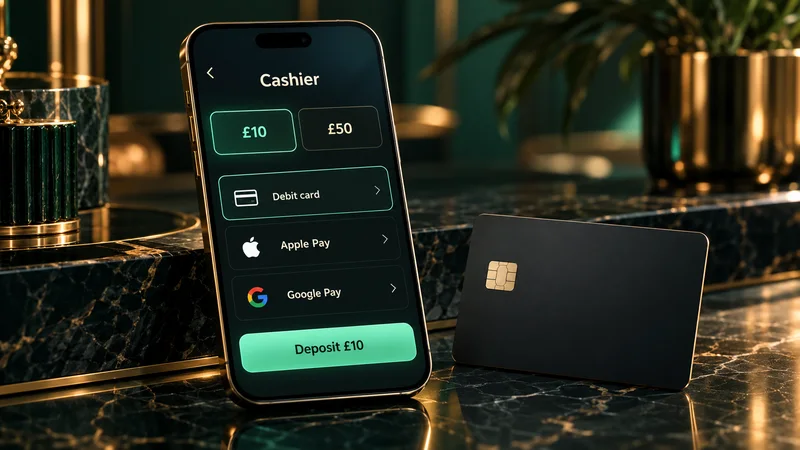
Methods that count for the welcome offers
Both sign-up offers depend on your first deposit and on a short list of methods. Pick the method first, then type the code into the cashier’s promo field before confirming the payment; our guide to using a promo code at the cashier shows where that field sits on a computer and on a phone. The offers are separate products, each with its own terms:
Casino welcome offer (MATE50): 18+. New customers only. First deposit of £10 or more by Visa, Mastercard, Apple Pay or Google Pay with code MATE50, then £10 in slot bets within 7 days for 50 bonus spins on Big Bass Splash at £0.10 each. Spins valid for 24 hours, x1 wagering on winnings, £1 maximum contribution, £100 maximum cashout. T&Cs apply. GambleAware.org
Sports welcome offer (LM10): 18+. New customers only. First deposit of £10 by Visa, Mastercard or Apple Pay with code LM10, then a £10 or bigger acca or Bet Builder (2+ selections) at 6/4 (2.5) or longer with “Qualify for bonus” switched on, within 7 days, for a £10 free bet. Horse racing, greyhounds and virtuals don’t count. £100 maximum cashout from the free bet. T&Cs apply. GambleAware.org
Trustly appears on neither list, and Google Pay counts for the casino offer alone. Since both codes attach to the first deposit, paying it by Trustly uses up that slot without starting a bonus. The casino terms also rule out claiming a second first-deposit offer, which means choosing between slots and sport before you pay in for the first time. Our page on the full LuckyMate welcome bonus terms covers the Bet Tracker, excluded games and the cashout cap.
Make a first deposit at LuckyMate
18+ · New customers only · T&Cs apply
PayPal, Skrill, Neteller and Paysafecard: unconfirmed
Review sites contradict each other more on these four methods than on anything else in LuckyMate’s cashier. We couldn’t open the cashier ourselves, so the table sets out who says what, next to what LuckyMate itself displays.
| Method | Review sites that list it | Review sites that say no or leave it out | On LuckyMate’s own pages |
|---|---|---|---|
| Skrill and Neteller | gambling.com, Fruity Slots, WhichBingo, PokerListings | Bojoko says LuckyMate “no longer accepts Skrill or Neteller” | No footer logo; not named in either offer’s terms |
| Paysafecard | The same group of review sites | None recorded in our research | No footer logo; not named in either offer’s terms |
| PayPal | gambling.com, Fruity Slots, Racing Post; PokerListings as a withdrawal route | BestBettingSites and Betiton say there is no PayPal; Sports Mole and next.io leave it out | No footer logo; not named in either offer’s terms |
Bojoko’s “no longer” suggests Skrill and Neteller were available at some point, which may be why some reviews still list them; LuckyMate hasn’t said either way. Until it does, the cashier after login is the only reliable answer. Even if one of the four turns up there, it can’t trigger either welcome offer, because neither set of terms names it.
Credit cards are not accepted
Gambling with a credit card has been banned in Great Britain since 14 April 2020, and LuckyMate’s user agreement repeats the rule: you may not deposit funds using a credit card. The ban covers indirect routes as well, so operators have to block e-wallet top-ups funded by a credit card.
The likeliest place to run into it by accident is a phone wallet. Apple Pay and Google Pay can hold several cards, and the default isn’t always the debit one. If a credit card is set as default, switch to your debit card in the wallet before you confirm, or expect the deposit to be refused.
Deposit limits and the gross rule
LuckyMate asks you to set a deposit limit during registration. Since 31 October 2025 the Gambling Commission has required every operator to prompt customers for a financial limit before their first deposit, and to remind them every six months to review it. LuckyMate lets the limit run by day, week or month. A lower figure applies immediately; a higher one takes effect only after 24 hours.
From 30 September 2026, any limit an operator calls a “deposit limit” has to be gross and set over a fixed period. Gross means that every pound paid in during the period counts and nothing you withdraw is subtracted. Here is how a £50 weekly limit behaves:
| Day | What you do | Counted against the £50 limit | Left to deposit this week |
|---|---|---|---|
| Monday | Deposit £30 | £30 | £20 |
| Tuesday | Withdraw £30 | Still £30; withdrawals don’t reduce it | £20 |
| Wednesday | Try to deposit £30 | Refused, as it would make £60 | £20 |
| Wednesday | Deposit £20 | £50 | £0 until the week resets |
Had withdrawals been netted off, Tuesday’s payout would have restored the full £50. The gross rule exists to stop a limit being stretched like that. It binds every operator licensed in Great Britain from that date, but LuckyMate’s limit screen sits behind a login we don’t have, so we can’t quote how its cashier words the change. Loss limits, reality checks, time-outs and self-exclusion work alongside deposit caps, and our page on deposit limits and the other tools explains each one.
Deposit pending or declined? Causes and fixes
LuckyMate doesn’t say how long a deposit can stay pending, and with no account of our own we can’t time it. The table below pairs the usual symptoms with the rule or payment step that tends to cause them.
| What you see | Likely cause | What to do |
|---|---|---|
| Card payment waiting with no result | Your bank wants the payment approved in its app or with a code | Approve it, then refresh the cashier |
| Trustly payment never completes | The approval in your banking app wasn’t finished, or the window closed | Check your bank shows nothing taken, then start a new payment |
| Refused at once | A credit card, or a wallet set to one | Pay with a debit card |
| Debit card refused straight away | A gambling block you switched on with your bank | The block is working as intended; any change is between you and your bank |
| Amount not accepted | Under the £10 minimum, or more than your deposit limit leaves | Change the amount; a higher limit needs 24 hours |
| Cashier locked or restricted | Identity checks outstanding; documents not sent within 30 days of registering can get the account blocked | Upload the documents in your profile |
| Money taken by the bank, balance unchanged | The payment is still being matched to your account | Don’t pay again; check the Transactions section, then contact support |
UK rules since 7 May 2019 require a customer’s age to be verified before a deposit, so an account whose electronic check failed at sign-up may be held until documents arrive. If you need to chase a missing deposit, give LuckyMate the date and time, the amount, the method and the reference from your banking app, through live chat or by email to [email protected]. There is no phone line.
Anakatech Interactive on your bank statement
Deposits and withdrawals don’t carry the LuckyMate name. According to its FAQ and user agreement, transactions appear as “Anakatech Interactive”, after the Malta company that operates the site under Gambling Commission account 48789. LuckyMate adds that the wording can vary, and some entries show the name of another brand from the same group.
Before reporting an unfamiliar charge to your bank as fraud, search your banking app for “Anakatech”. That search also gives you a quick total of what you have paid in over a month, a sensible check before raising a limit. Budgeting apps that group spending by merchant will file these payments under the company name as well.
Fees, currency and bank charges
LuckyMate’s cash-out policy states that no fees are charged for withdrawals, and no deposit fee is listed either. Accounts are held only in pounds, so paying with a UK debit card shouldn’t involve a currency conversion. Your bank or wallet provider may still add charges of its own, which LuckyMate’s terms don’t cover.
Gambling Commission guidance from 28 May 2024 also limits what any licensee can do here: a withdrawal fee is allowed only if it reflects the operator’s actual cost and is disclosed before you deposit. If a fee ever appeared for the first time at cash-out, raise it with support in writing.
Getting money back out
Withdrawals start at £10, need at least one deposit on the account and return to the method you paid in with. If your bank won’t accept a refund to a card, the money goes by bank transfer through Trustly. How long a payout takes, and why the first one tends to be the slowest, is covered in our guide to LuckyMate withdrawal times.
Keeping card and bank details safe
- Pay only on luckymate.co.uk. It is the domain the casino runs on, and it appears on the operator’s entry in the Gambling Commission register. Sites that borrow the Lucky Mate name in other countries are separate businesses.
- Card details go into the cashier and nowhere else. When LuckyMate verifies a card, it asks for a photo with the middle 8 digits and the CVV covered. If anyone asks for the full number or the CVV by chat or email, don’t send it. Our page on proof of address and card checks lists every document and how to upload it.
- Trustly and the phone wallets keep the card number out of the cashier. Trustly payments are approved inside your own banking app, and Apple Pay and Google Pay pass the merchant a token in place of the card number.
- Check what the footer shows. LuckyMate’s footer carries a PCI badge beside the logos of testing labs Quinel and Trisigma. We report the badge as it appears; we have not seen the certificate behind it.
- Keep the balance modest. LuckyMate rates customer funds as “not protected”: they are held in a separate account, but there is no protection if the company becomes insolvent. Money you have no plans to play with is safer back in your bank account.
Everything else about the site, from the licence to the support channels, is in the main LuckyMate review.
LuckyMate payments FAQ
Why is my LuckyMate deposit pending?
Usually the payment is waiting for approval in your banking app, a Trustly payment wasn’t completed, or identity checks on the account are still open. If the bank has taken the money but your balance hasn’t changed, don’t pay again: check the Transactions section and send live chat or [email protected] the time, amount, method and bank reference.
What is the minimum deposit at Lucky Mate?
£10 for every confirmed method. Both welcome offers use that same £10 minimum, and withdrawals start at £10 as well.
Does LuckyMate accept PayPal, Skrill or Neteller?
Not confirmed. Some review sites list them and Bojoko says Skrill and Neteller were dropped, while LuckyMate’s own pages show only debit cards, Apple Pay, Google Pay and Trustly. Check the cashier after logging in; none of them qualifies for a welcome offer.
Can I deposit at LuckyMate with a credit card?
No. Credit cards have been banned for gambling in Great Britain since 14 April 2020, and LuckyMate’s user agreement forbids them. If you pay with Apple Pay or Google Pay, make sure the wallet uses your debit card.
Which deposit methods qualify for the LuckyMate welcome offers?
The casino offer (MATE50) accepts Visa, Mastercard, Apple Pay and Google Pay. The sports offer (LM10) accepts Visa, Mastercard and Apple Pay. A first deposit by Trustly qualifies for neither.
What name will a LuckyMate deposit show on my bank statement?
“Anakatech Interactive”, the company that operates LuckyMate. The wording can vary, and some entries show another brand from the same group.