
LuckyMate sign up is a single form on luckymate.co.uk, open to anyone aged 18 or over who is in the United Kingdom. You give your name, date of birth, address, email, mobile number, a username, a password and a deposit limit. An electronic identity check follows, and documents are requested only if it can’t confirm you. Welcome codes have no box on the form: MATE50 (casino) or LM10 (sports) is entered in the Cashier with your first deposit, and you get one of the two.
Who can open a LuckyMate account
According to LuckyMate’s User Agreement, the site is intended only for players located in the United Kingdom who are 18 or older, and accounts are held in pounds. A registration then has to clear the following.
- You aren’t self-excluded. LuckyMate is part of GAMSTOP, and an active registration with the national scheme stops a new account being opened. So does a self-exclusion with Anakatech Interactive, LuckyMate’s operator, set to cover all its brands.
- You don’t already have a LuckyMate account. The casino and the sportsbook share one login. Each welcome offer is limited to one per household, and LuckyMate’s Welcome Boosted Odds terms list multiple account use among the grounds for withholding or reclaiming a bonus.
- Your details can be matched by the electronic check run on your name, address and date of birth.
The User Agreement asks politically exposed persons to tell [email protected] shortly after registering. Your date of birth also sets your slot stake limit under UK rules: £5 a spin from age 25, £2 if you are 18 to 24. If you’re travelling, in Northern Ireland, or came via an Australian or New Zealand “Lucky Mate” page, read our guide to who can open an account first.
What you’ll need before you start
Have these to hand and the electronic check stands a better chance of passing first time, while any later document request becomes a quick upload.
| What | Why LuckyMate needs it | Get it right |
|---|---|---|
| Full legal name and date of birth | Age and identity check before you deposit and play | Type them exactly as on your passport or driving licence |
| Current UK address | Electronic check; proof of address if that check fails | Use the address your bank has on file |
| Email address | Account messages and any document requests | Use an inbox you check regularly |
| Mobile number | Contact details held on the account | Use your own number |
| Debit card, Apple Pay or Google Pay | First deposit; the welcome offers accept only certain methods | MATE50: Visa, Mastercard, Apple Pay, Google Pay. LM10: Visa, Mastercard, Apple Pay |
| A deposit limit figure | The form asks for one | Decide what you can afford per day, week or month before you begin |
| Photo ID and a recent bill or bank statement | Only if the electronic check can’t confirm you, or a later review asks | Passport or driving licence; bill or statement no older than 3 months |
How to register at LuckyMate, step by step
We haven’t opened a test account, so the steps follow LuckyMate’s published pages and review sites’ photos of the form; the live form’s field order may differ.
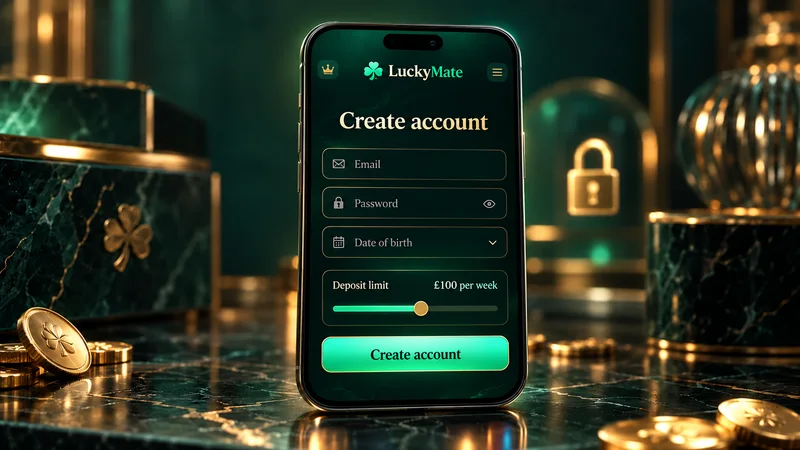
- Go to luckymate.co.uk and press Join, the button beside Login at the top of every page. Type the address in yourself, or follow a link you trust.
- Fill in your personal details: title, first name, surname and date of birth (Racing Post’s screenshot of the mobile form shows Title and First Name fields). Enter your legal name rather than a nickname.
- Add an email address and mobile number.
- Find your address by postcode and pick the entry that matches your bank records.
- Choose a username and password. Write the username down, as LuckyMate’s contact form asks for it, and pick a password you use nowhere else.
- Set your deposit limit (explained below).
- Confirm your email if a confirmation message arrives, then log in.
LuckyMate says an account opens in minutes, with no deposit. The form costs nothing; if registration drags, the identity check is the cause.
Start your LuckyMate registration
18+ · New customers only · T&Cs apply
Signing up on a phone
On a phone, registration happens in Safari or Chrome on the same form, because LuckyMate has no app in Great Britain’s App Store or Google Play. Apps with similar names in both stores belong to other developers and shouldn’t get your details. The home-screen shortcut is explained on our page about LuckyMate on mobile.
Setting your deposit limit during sign-up
LuckyMate asks for a deposit limit during registration, in line with the Gambling Commission requirement to prompt for a financial limit before a customer’s first deposit. How fast a change applies depends on its direction:
- Lowering the limit takes effect straight away.
- Raising it only applies after 24 hours, so a figure chosen with a clear head can’t be lifted on impulse the same evening.
Limits can be daily, weekly or monthly. The regulator also says anything labelled a “deposit limit” has to count every payment in during the period, so withdrawals don’t free up room. Deposit £10, withdraw it and deposit £10 again, and £20 counts against the limit.
The other controls become available after registration: loss limits, a reality check, a session time limit (set up through support), a time-out of up to 6 weeks, and self-exclusion for anything from 6 months to 5 years. Each is covered in our guide to LuckyMate’s safer gambling tools.
Casino or sports: picking your welcome offer
Both offers are tied to the first deposit, and you can take only one. MATE50’s terms allow no other first-deposit promotion alongside it, and since 19 January 2026 UK regulation has kept casino and sports incentives apart, so each offer has its own code and qualifying bets. Know whether you’re here for slots or sport before you reach the Cashier.
Casino welcome offer: Bet £10, get 50 bonus spins
Join and use MATE50- Visa
- Mastercard
- Apple Pay
- Google Pay
18+. New customers only. Opt in with MATE50 on your first deposit. £10 min deposit, £10 in slot bets within 7 days, spins valid 24 hours, x1 wagering, £1 max contribution, £100 max cashout, selected payment methods only. T&Cs apply. GambleAware.org
On the casino side, £10 of slot bets fills the Bet Tracker and the 50 bonus spins (usually searched for as free spins) arrive on Big Bass Splash, valid for 24 hours. For the excluded games and what the spins are worth, see our breakdown of the LuckyMate sign-up bonus.
Sports welcome offer (LM10): a £10 free bet when you bet £10. 18+. New customers only. Use LM10 on your first deposit, £10 paid by Visa, Mastercard or Apple Pay. Inside 7 days, place £10 or more on an accumulator or Bet Builder of 2+ selections priced at 6/4 (2.5) or longer, turning on “Qualify for bonus” in the betslip before you confirm. Bets on horse racing, greyhounds and virtuals are excluded. Free bet winnings are paid in cash up to £100. T&Cs apply. GambleAware.org
New customers most often trip over the timing of the code. It belongs in the Cashier’s promo field during the deposit, and the terms don’t cover adding it afterwards. The other surprise is a partner page showing MATE100 (100 spins) or RP250 (250 spins) on the same conditions. LuckyMate marks those “valid via landing page or affiliate link only”, so use whichever code your landing page displays.
Identity checks after you register
As soon as the form goes in, LuckyMate runs an electronic check of your name, address and date of birth. Operators licensed in Great Britain have to confirm your age before you deposit and your identity before you play, and must tell you in advance which documents they may ask for. A match means nothing more is needed for now. Without one, documents come before the first deposit, and LuckyMate’s list is:
- a passport or driving licence;
- a bank statement or utility bill dated within the last 3 months, showing your address;
- a picture of the debit card used to deposit, with the CVV and the middle 8 digits hidden;
- where a review calls for it, payslips or other proof of where your money or wealth comes from.
Uploads are made under Profile › My Account › Verify Identity (or Upload Documents), as JPEG files of no more than 5 MB each. Identity documents not sent within 30 days of registering can get the account blocked. LuckyMate gives no turnaround time. Review sites suggest a day or two: gambling.com had its documents approved within 24 hours, and Betiton quotes up to 48 hours. More requests can come later, especially once your withdrawals pass £1,000 in total.
On LuckyMate’s Trustpilot page (1.9/5 from 153 reviews on 2 October 2026), document requests come up again and again, repeat requests after withdrawals among them. Our LuckyMate ID verification guide goes through the documents one by one, with the usual reasons they get rejected.
Checked against LuckyMate’s published terms and the Gambling Commission register on 2 October 2026.
Common LuckyMate registration mistakes
Most of the trouble starts either on the form or at the first deposit.
| Mistake | What happens | How to fix it |
|---|---|---|
| Nickname or shortened name | The electronic check can’t match you and ID is requested | Register with your name as it appears on your passport or driving licence |
| Old or mistyped address | Proof of address is requested | Use your current address and keep a bill or statement under 3 months old |
| Wrong date of birth | The age check can fail, holding up your first deposit | Ask support to correct it; don’t register again |
| Typo in the email address | Document requests may not reach you while the 30-day deadline runs | Check it before submitting; ask support to update it |
| New account after forgetting a password | A second account breaks the one-per-household offer rule and can cost you bonuses | Reset the password on the account you already have |
| First deposit without a code | The welcome offer isn’t attached | Talk to support before placing any bet; adding it later is LuckyMate’s decision |
| First deposit by Trustly | Neither MATE50 nor LM10 applies | Pay by debit card or Apple Pay; Google Pay qualifies for MATE50 only |
| Deposit limit set higher than you meant | It stays until you change it | Lower it; reductions apply immediately |
| Registering during a GAMSTOP exclusion | The account is refused | The exclusion has to run its course |
| Signing up on a lookalike site | Your details go to a business outside LuckyMate’s licence | Register only on luckymate.co.uk |
Anything you can’t change yourself goes through LuckyMate’s live chat or an email to [email protected]. You won’t find a phone line, even though the form asks for your number.
Making sure you sign up with the real LuckyMate
A search for LuckyMate registration brings up around ten sites with the brand name in their domain, this guide included, and you can’t register here: no page outside LuckyMate’s own domain should ask for your password, card or ID. Before you type anything personal, check that the address bar reads luckymate.co.uk, which appears under account 48789 on the Gambling Commission register of LuckyMate’s domains.
After registering, bookmark the real address and sign in from that bookmark. Spotting a cloned sign-in page and resetting a forgotten password without a second account are both covered in our LuckyMate login page guide.
Our LuckyMate casino overview deals with the games, payout times and the full Trustpilot record.
Join LuckyMate with code MATE50
LuckyMate sign up FAQ
How do I sign up at LuckyMate?
Open luckymate.co.uk, press Join and complete the form: name, date of birth, address, email, mobile number, username, password and a deposit limit. An electronic identity check runs after that. Welcome codes come later, typed into the Cashier with your first deposit.
How long does LuckyMate registration take?
Minutes, according to LuckyMate, and no deposit is needed. It only takes longer if the electronic check can’t confirm you and documents are requested; review sites report those checks clearing within 24 to 48 hours.
What if I make a mistake on the LuckyMate registration form?
Ask support to correct it through live chat or [email protected] rather than registering again. A wrong date of birth can hold up your first deposit, and a second account breaks the one-per-household rule on welcome offers.
Does LuckyMate ask for ID when I sign up?
Not always. The first check is electronic, on your name, address and date of birth. Photo ID, recent proof of address or a photo of your debit card are requested only if that check fails or a later review is triggered, such as when withdrawals pass £1,000.
Why does LuckyMate ask for a deposit limit at sign-up?
Gambling Commission rules require operators to prompt for a financial limit before a customer’s first deposit, so the registration form asks for one. It can be daily, weekly or monthly; lowering it applies at once, while a higher limit only takes effect after 24 hours.
Can I open a LuckyMate account from outside the UK?
You can’t. LuckyMate’s User Agreement restricts it to players located in the United Kingdom and aged 18 or over, with accounts in pounds.