
To log in to LuckyMate, go to luckymate.co.uk, press Login at the top of the page and enter the username and password you chose when you registered. The same details open the casino and the sportsbook on a computer or in a phone browser; LuckyMate has no app. A forgotten password is the most common reason people can’t get in, says LuckyMate’s account FAQ, and the login form has a reset option. A reset won’t help an account that is blocked, closed or on a break, and search results are full of lookalike pages copying the LuckyMate casino login; both are covered below.
How to log in to LuckyMate on a computer
These steps come from LuckyMate’s published pages and screenshots on review sites; we haven’t signed in with a real account. Labels on the live site can change.
- Type luckymate.co.uk into the address bar or open a bookmark you saved yourself. A search for “LuckyMate login” turns up mostly other sites, as explained below.
- Press Login, in the header of every page next to the Join button.
- Enter your username and password. The username is also a field on LuckyMate’s contact form, so keep a private note of it.
- Answer the cookie banner if it appears. Sign-ins depend on cookies, and a login that keeps returning you to the start often means the browser is blocking them.
- Check you are in. Racing Post’s deposit guide places the Deposit button and your balance in the top right-hand corner.
The sportsbook has no login of its own. LuckyMate’s FAQ says “a single account covers sportsbook and casino”, and one balance serves both.
18+ · New customers only · T&Cs apply
Logging in on a phone
On a phone you sign in through the browser: open Safari or Chrome, go to luckymate.co.uk and press Login. The British App Store and Google Play carry no LuckyMate app, and anything there called “LuckyMate” or “Lucky Mate” comes from another publisher; don’t give it your password. Racing Post’s review mentions a LuckyMate app with Touch ID and Face ID sign-in, but no such app exists. The phone’s own password manager can store the login and fill it after a face or fingerprint scan, and it only offers the login on the address it was saved from.
When the Login button does nothing on a phone, switch from a private tab to a normal one and pause any content blocker for luckymate.co.uk. A home-screen shortcut opens the right address every time, and our page on the mobile LuckyMate site shows how to add one.
Forgot your LuckyMate password? How to reset it
The account FAQ tells customers to try a reset before contacting support but doesn’t show the screens, so the steps below follow the usual pattern.
- Open the Login form on luckymate.co.uk and choose the forgotten password option.
- Enter the detail it asks for, such as your email address or username.
- Open the reset message, looking in junk and spam folders too. Before clicking, make sure the link leads back to luckymate.co.uk.
- Choose a new password you have never used elsewhere and sign in with it right away, so your password manager saves it.
A reset can’t reach an inbox you no longer open, so contact support through LuckyMate live chat or [email protected] instead and quote your username; there is no phone line.
Don’t open a second account under a new email as a workaround. Welcome offers are limited to one per player and household, and a new account can’t get round a time-out or self-exclusion on the old one.
LuckyMate login not working? What you see and what to do
Once the password is ruled out, a failed login usually comes down to the account’s status. The table draws on LuckyMate’s account FAQ, safer gambling page and terms.
| What you see | What it usually means | What to do |
|---|---|---|
| “Incorrect username or password”, or the form reloads | A typo, Caps Lock, an old password or the browser filling in a different saved login | Type the details by hand; after a couple of failed tries, reset instead of guessing |
| Login refused about a month after joining | Blocked because proof of identity wasn’t sent within 30 days of registering | Send the documents and ask live chat to review the block |
| Logged in, but deposits or withdrawals held | Verification pending: the electronic check didn’t confirm you, or a review needs documents | Upload under Profile › My Account › Verify Identity, JPEG files up to 5 MB |
| Account shown as closed after a long gap | Closed for inactivity (LuckyMate’s terms and FAQ give different periods, so we quote neither) | Email [email protected] or use live chat to ask for it to be reopened |
| Access refused for a period you chose | A time-out (24 hours, 1 week, 1 month or up to 6 weeks) or self-exclusion (6 months to 5 years) is running | Wait for it to end; a self-exclusion can’t be shortened |
| Access refused, though you set no break at LuckyMate | An active GAMSTOP registration, or a self-exclusion set at another Anakatech Interactive brand with the all-brands option | Check your GAMSTOP status; the block lasts for the period you chose |
| A time-out you didn’t ask for | LuckyMate says it may apply a 24-hour time-out when activity rises sharply within a day | Wait until it lifts; ask support for the reason |
| Account restricted or closed by LuckyMate | An operator decision, for example after a duplicate-account or bonus terms review | Ask for the reason in writing; complain if you disagree |
| Login page in AUD, mentioning pokies or crypto, or offering an app | A lookalike site, not LuckyMate | Close it; if you typed your password there, change it on luckymate.co.uk |
Checked against LuckyMate’s published terms and the Gambling Commission register on 2 October 2026.
Both document rows have the same fix: send what was requested, through the upload page or support, then ask live chat to review the account. Our guide to verification checks lists each document and what to do if one is rejected. To challenge a restriction or closure, start with chat or email. LuckyMate gives itself 4 weeks to respond and 8 weeks for a final position; after that, ADR Group can look at the case.
Time-outs, self-exclusion and GAMSTOP
During a break you set yourself, LuckyMate is meant to refuse the login. A LuckyMate self-exclusion covers LuckyMate alone or every brand under Anakatech Interactive’s licence, Winomania included, depending on your choice. When it expires, the account stays shut until you contact support, and a cooling-off period applies. GAMSTOP applies to every online gambling business licensed in Great Britain, and a registration can’t be cancelled early.
Anyone looking for a way round a break should talk to someone first. The National Gambling Helpline for England and Scotland is 0808 8020 133, open 24/7; in Wales call 0808 2819 265, and in Northern Ireland 08000 886 725. GamCare also offers online chat.
Fake LuckyMate casino login pages: how to spot one
Search engines are an unreliable route to a Lucky Mate login. When we searched for “luckymate login” on 2 October 2026, every top result had the brand name in its address and LuckyMate’s own site wasn’t one of them; the login and registration searches together produced ten such domains. Each one we opened was an article about LuckyMate, and several got the brand wrong, promoting a VIP programme LuckyMate doesn’t run or claiming a Curaçao licence.
Our own address, lucky-mate-casino.uk.com, carries the brand too. This guide is independent of LuckyMate and has no sign-in box. However you get there, check the address once the page loads and log in only if it reads luckymate.co.uk.
Under account 48789 the Gambling Commission lists two LuckyMate domains, luckymate.co.uk and luckymatecasino.co.uk. The second had no casino on it when we checked, which leaves luckymate.co.uk as the address to bookmark. The full list, with the operator’s sister brands, is on our page about LuckyMate’s real domains and in the domain list on the Gambling Commission register.
| Check | The real LuckyMate login | Warning sign |
|---|---|---|
| Address bar | luckymate.co.uk, exactly | Extra words, hyphens or endings such as .uk.com, .uk.net, .me.uk, .org.uk, .net or .casino |
| What the login asks for | Username and password | Card numbers, ID photos, a “verification fee” or a one-time code someone asks you to read out |
| Currency and games | Pounds; slots, live casino, sportsbook | Australian dollars, crypto, “pokies” |
| Footer | Anakatech Interactive Limited, Gambling Commission account 48789 | A Curaçao licence, no account number, or 48788 (the software company’s account) |
| Offers | 50 bonus spins with MATE50; no no-deposit bonus, no VIP scheme | Percentage deposit matches, no-deposit codes, VIP tiers |
| App prompts | None | “Download the LuckyMate app” or an APK file |
| Support | Live chat at set hours and email; no phone | A “LuckyMate support” phone or WhatsApp number, or 24/7 chat |
A clone can copy the logo and colours but not LuckyMate’s exact address. Read it letter by letter up to the first single slash, as the part just before that slash is what counts: luckymate.co.uk.account-help.com, for example, belongs to account-help.com.
If you typed your password on the wrong site
- Change your LuckyMate password at once, on luckymate.co.uk itself.
- Change it wherever else you used it, starting with your email account, where reset links go.
- Tell LuckyMate support by chat or email, with your username, and ask them to look at recent activity.
- Check your statement. LuckyMate payments appear as “Anakatech Interactive”; report anything unfamiliar to your bank.
- If you entered card details or uploaded ID on the fake page, call your bank’s fraud line now and forward the phishing email to the National Cyber Security Centre at [email protected].
Keeping your LuckyMate account secure
Your login protects more than a balance. Behind it sit the documents you uploaded and the payment methods on the account.
- Use a password for LuckyMate alone. A password manager makes that practical and won’t fill it in on an address that doesn’t match.
- Keep the login to yourself, including from anyone offering to sort out a bonus or a stuck withdrawal for you. Support identifies you by username and account details, so never put your password in a chat or email.
- Distrust messages that rush you. A text or email warning that the account will close unless you “verify now” through a link is a common phishing pattern; go to luckymate.co.uk yourself instead.
- Log out on shared devices and don’t let a shared browser remember the password. For family devices, LuckyMate’s safer gambling pages name blocking software such as BetBlocker and Net Nanny.
Our page about account security summarises what LuckyMate publishes on encryption, testing labs and data handling.
What to set up after you log in
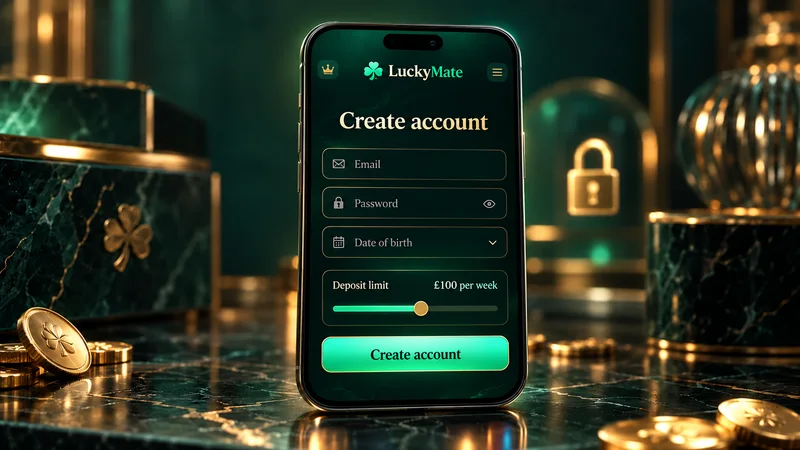
You chose a deposit limit on the registration form. Your first login is a good moment to check that figure and add the other controls:
- Deposit limits per day, week or month: a lower limit takes effect immediately, a higher one after 24 hours.
- Loss limits on the same daily, weekly and monthly basis.
- A reality check that reminds you how long you have played and your result so far.
- A session time limit, arranged through support.
- Activity statements, provided at least twice a year.
UK slot rules apply on top: a maximum stake of £5 a spin, or £2 if you are aged 18 to 24. Advice and support are available from GambleAware.
No LuckyMate account yet?
The login form is for existing customers only. To create a LuckyMate account you need to be 18 or over and in the United Kingdom, and you choose the username and password while registering. Our LuckyMate Casino UK guide covers the games, bonus terms and payout speed.
LuckyMate login FAQ
How do I log in to LuckyMate?
Open luckymate.co.uk, press Login in the header and enter the username and password you chose at registration. One login covers both the casino and the sportsbook, on a computer or in a phone browser.
What should I do if I forgot my LuckyMate password?
Choose the reset option on the login form and follow the instructions sent to you. If you can no longer get into the email address on the account, give your username to LuckyMate through live chat or [email protected] instead. Don’t register a second account.
Why is my LuckyMate account blocked?
Usually because identity documents weren’t sent within 30 days of registering, a time-out, self-exclusion or GAMSTOP registration is running, or LuckyMate restricted the account after a review. Live chat can tell you which applies.
Can I log in to LuckyMate with Face ID or an app?
There is no LuckyMate app in the British App Store or on Google Play, so you sign in at luckymate.co.uk in the phone’s browser. From there, the phone’s password manager can fill in your details after a face or fingerprint scan.
Which website is the real LuckyMate login?
luckymate.co.uk. The Gambling Commission register also lists luckymatecasino.co.uk under the same account. Sites that bolt words, hyphens or endings such as .uk.com or .me.uk onto the name, this guide included, are not run by the operator.
Can I reopen a closed LuckyMate account?
If it was closed for inactivity, LuckyMate’s account FAQ tells you to ask for it to be reopened, by email to [email protected] or through live chat. A self-exclusion can be lifted only once its period is over, through support and after a cooling-off period.